What this guide helps you do
Request a password-reset link, set a new password, and return to your account without creating another account.
Before you start
You need access to the email address used for the account. Krobr cannot send the reset link to a different address just because it is easier to access.
Where to find it
Open Log in and choose Forgot password. This works from the workspace or the sign-in page you were using; follow the emailed link for the correct destination.
Step by step
-
Choose Forgot password and enter the account's email address.
-
Submit the request once. Read the neutral confirmation: it does not confirm whether an account exists for that address.
-
Check your inbox and spam for the latest password-reset email. If you typed the wrong address, return and correct it.
-
Open the latest reset link. If the link says it is invalid or expired, request a new one rather than repeatedly opening the old link.
-
Enter a new password that meets the displayed rules. Use the visibility control to catch typing mistakes.
-
Submit the new password and wait for success. A used reset link cannot be reused.
-
Return to Log in and enter the new password. If another device asks you to sign in again, use the new password there too.
Understand the choices
-
The email must be a valid address. An empty or malformed address produces a field error before a request is sent.
-
A neutral confirmation protects account privacy. It is not proof that mail was delivered immediately.
-
Reset links expire and are single-use. Forwarding a recovery link gives someone else the ability to reset your password; keep it private.
Check the result
You can sign in using the new password. Your stores, billing history, and orders remain attached to the same account.
If something goes wrong
-
No email: check the exact signup address and spam folder. Allow time for delivery before requesting again.
-
Many requests: recovery is rate limited. Wait and use the latest link; repeated requests are not a workaround.
-
Cannot access the inbox: first recover access through your email provider. An account-specific identity issue may need Krobr's existing support process.
-
The form keeps failing: follow the password field's exact validation message rather than shortening the password at random.
Screenshots
These screenshots use demonstration data. Your names, amounts and available controls may differ. Current values on your own screen take priority.
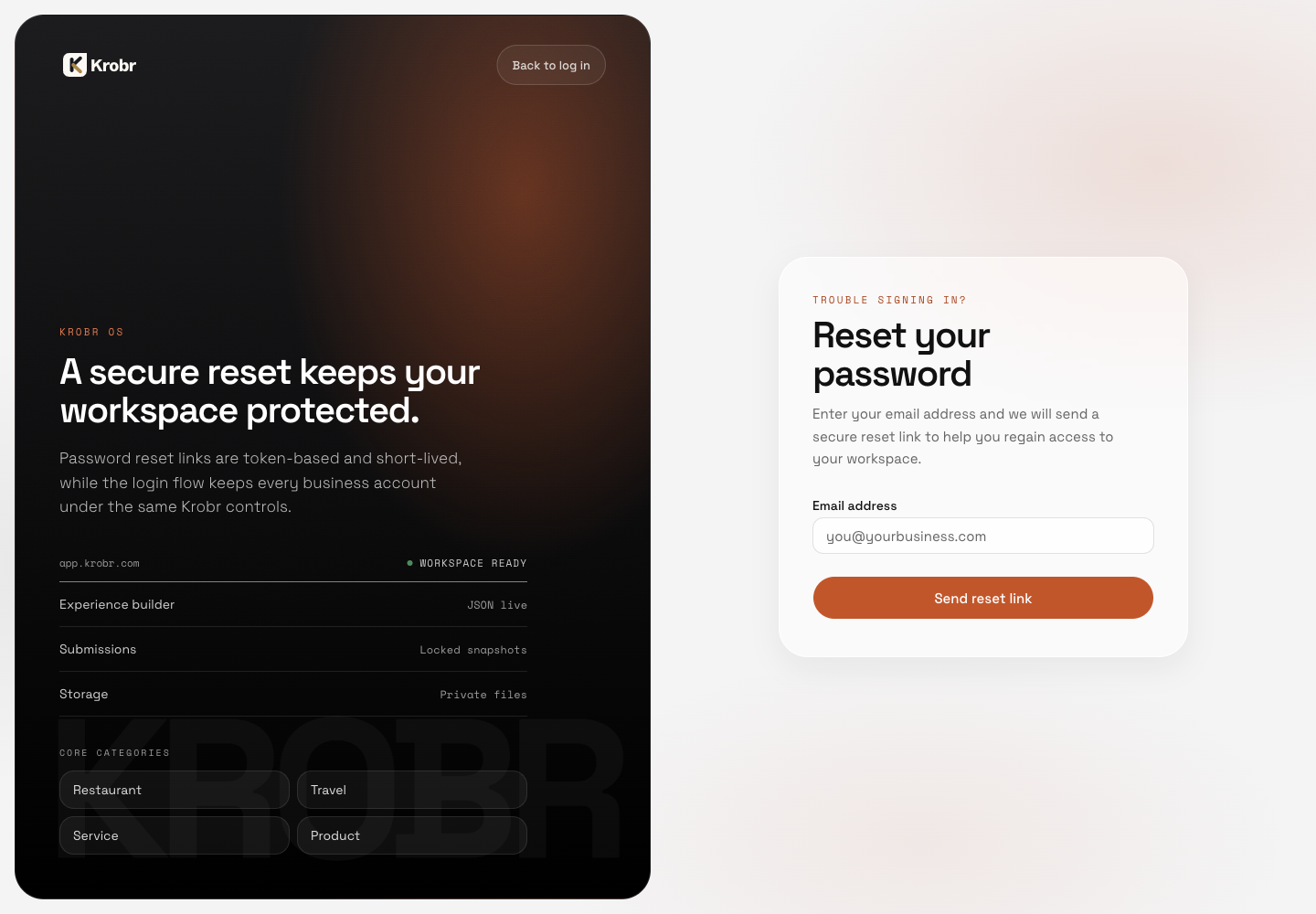
Recover a forgotten password: find the controls in this example screen and follow the numbered instructions above.